Looking for FindTime? What replaced it, and an alternative
If you came here to install FindTime, there is nothing left to install. Microsoft folded the add-in into Outlook itself, and the address it used to live at no longer answers. We tried findtime.microsoft.com in August 2026 and got a DNS failure rather than a redirect. The hostname still carries a CNAME record pointing at findtimecloud.trafficmanager.net, and that Azure Traffic Manager name resolves to nothing, so what survives of the original front door is a pointer to a decommissioned endpoint.
The feature did not die with the domain. It moved into Outlook, and it picked up a requirement that decides whether it is available to you at all. This page covers what Scheduling poll does today, what it asks for before you can send one, and where a tool with no accounts fits instead. Every claim below was read on Microsoft's live support and pricing pages in August 2026.
What happened to FindTime
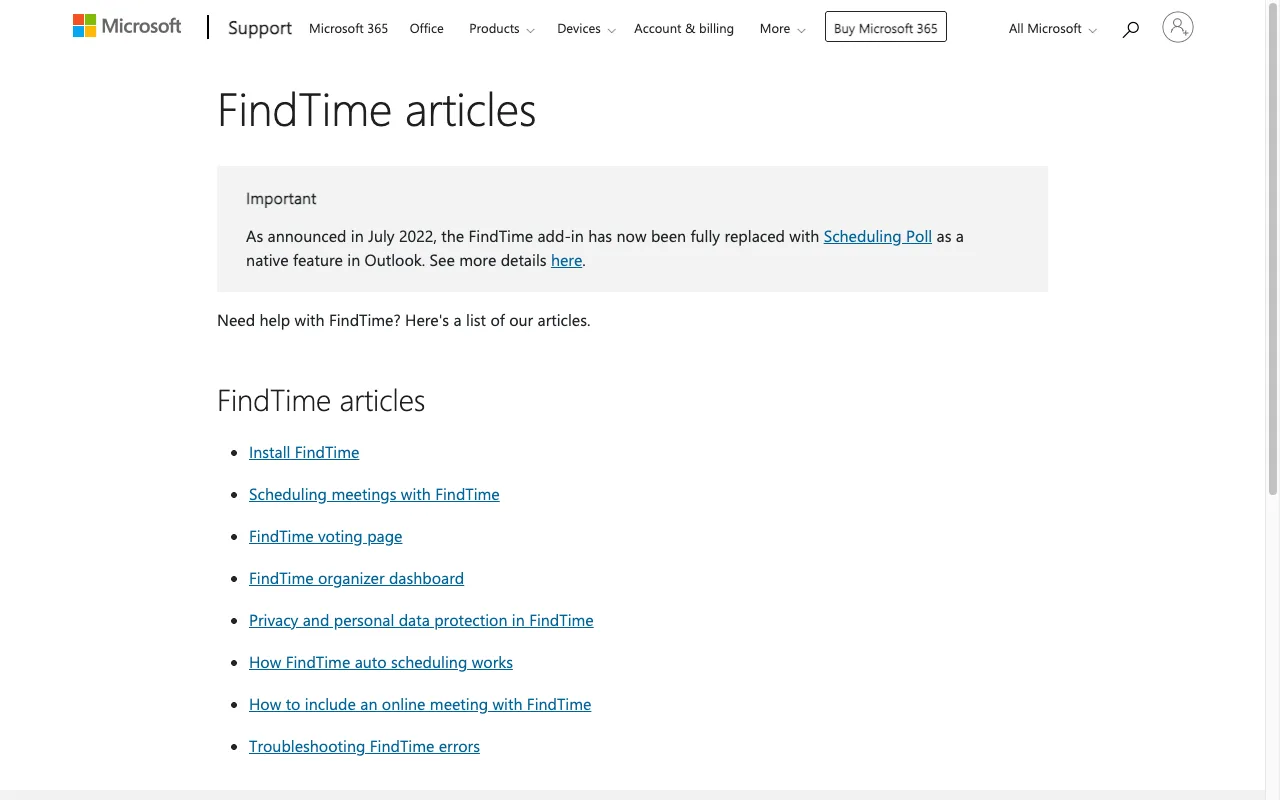
Microsoft's support page for FindTime is still up, and it opens with the answer. Under the heading "FindTime articles", an Important box states that "As announced in July 2022, the FindTime add-in has now been fully replaced with Scheduling Poll as a native feature in Outlook." The old documentation is still listed underneath: Install FindTime, Scheduling meetings with FindTime, the FindTime voting page, the organizer dashboard, privacy, auto scheduling, online meetings, and troubleshooting. Those articles are an archive of a product you can no longer add to Outlook.
The replacement carries the same idea. An organizer proposes several meeting times, attendees vote, and the winning slot becomes the meeting. Scheduling poll is now a button inside the Outlook compose window rather than an add-in you install.
What Scheduling poll does well
The strengths in Microsoft's current documentation all come from the poll living inside a calendar rather than beside one.
- Outlook proposes the times. Open the poll pane and it offers suggested options based on attendee availability, which you delete or add to as you like.
- Temporary holds land on everyone's calendar the moment a poll goes out, so nobody books over a candidate slot. Organizers see them as Busy, attendees as Tentative until they vote, when a Yes turns the hold Busy and a No turns it Free.
- Attendees vote from wherever they already are: the invitation email, the hold on their calendar grid, the event itself, or a secure web page.
- People outside your organization vote through that secure website link, which Microsoft says is the only route open to them.
- Choosing the winner with "End poll with selected option" clears every hold and updates the event to the final time.
- A poll can carry up to 15 time options, though Microsoft recommends 3 to 5 so attendees are not overwhelmed by the list.
There are also documented gaps. Attendees cannot propose a new time, and cannot forward a scheduling poll to anyone else, since only the organizer adds or removes attendees. Polls do not work with shared mailboxes or group calendars, and calendar delegates cannot create polls or vote for the person whose calendar they manage.
The requirement that decides it for you
Scheduling poll is not a website you can open. Microsoft states that the feature "is currently available to users of Microsoft 365 Apps for business or enterprise plans that include Exchange Online", and that a meeting organizer "is required to have a mailbox in Microsoft 365 Exchange Online to be able to use the scheduling poll feature". Organizers whose mail sits on an on-premises Exchange server are excluded, as are shared mailboxes. Attendees have it easier: anyone with a valid email address can be invited to vote.
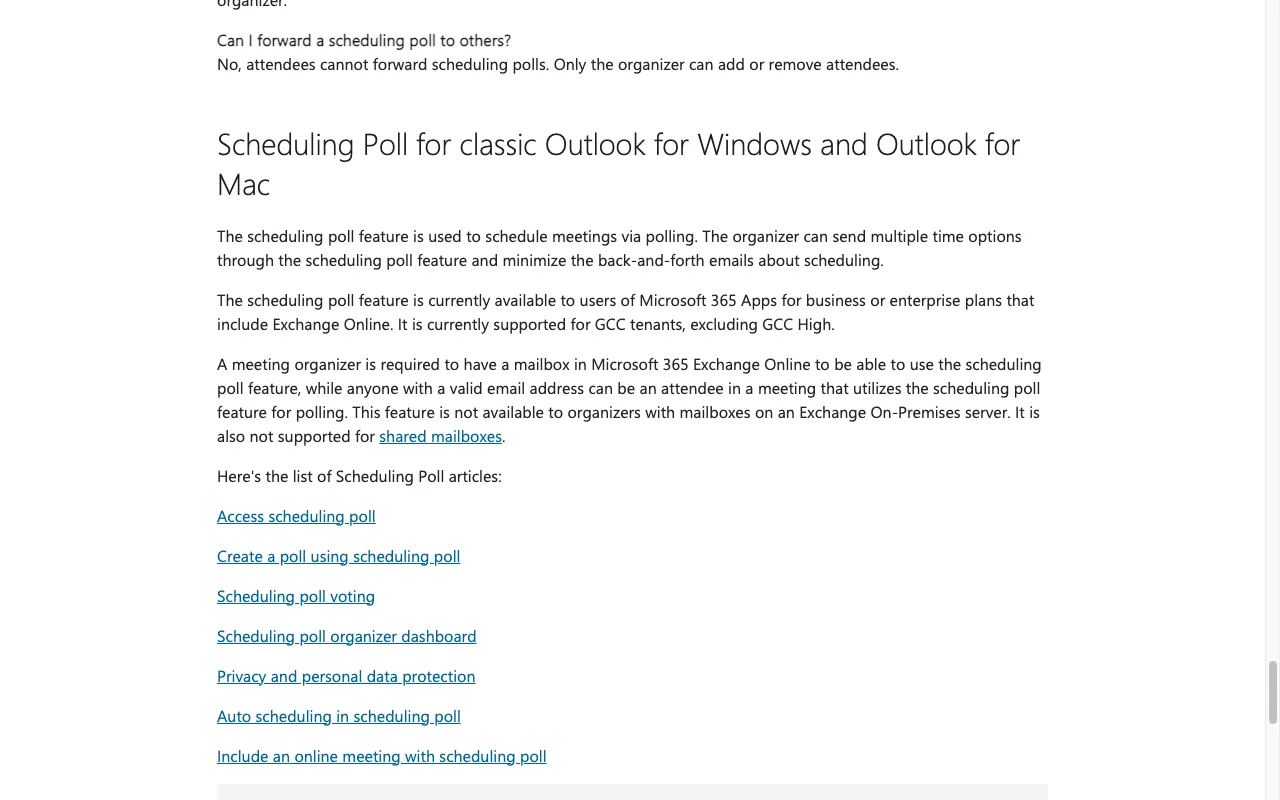
That requirement has a price attached. On Microsoft's business pricing page in August 2026, the entry plan is Microsoft 365 Business Basic at $7.00 per user per month on an annual subscription that auto-renews, covering 1 to 300 employees with web and mobile apps. Business Standard with Copilot is listed at $23.50 per user per month and Business Premium with Copilot at $32.00, both billed yearly. If your group is a running club, a family, or four freelancers with four different email providers, none of you is buying a tenant to settle on a Thursday.
Scheduling poll vs Best Day To Meet
Every Microsoft fact in this table was read on Microsoft's live support and pricing pages in August 2026.
| Feature | Best Day To Meet | Outlook Scheduling poll |
|---|---|---|
| Account needed to organize | None | Microsoft 365 Exchange Online mailbox |
| Account needed to vote | None, a name only | None, via the secure voting webpage |
| Cost to organize | Free core, optional Pro tier | Included with a qualifying business or enterprise plan |
| Options per poll | Every date in the range you set | Up to 15 time options |
| What people vote on | Whole days and multi-day windows | Specific meeting times |
| Holds on invitees' calendars | None | Tentative holds until the poll ends |
| Attendees can propose another time | Host can edit the Event | Not supported |
| Passing the poll along | Anyone with the link can vote | Attendees cannot forward it |
| Public holidays in the calendar | Shown for the Host's country | Not part of the poll |
| Shared mailboxes and group calendars | Not applicable | Not supported |
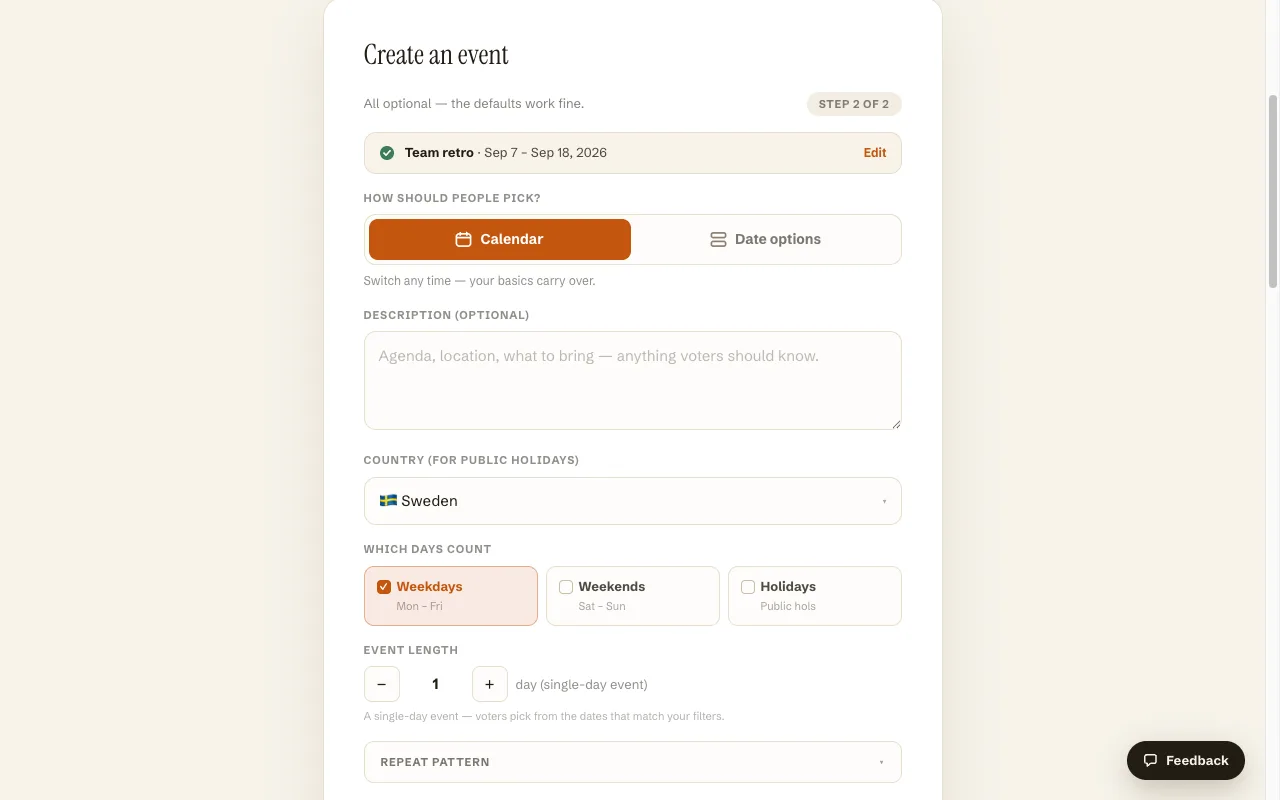
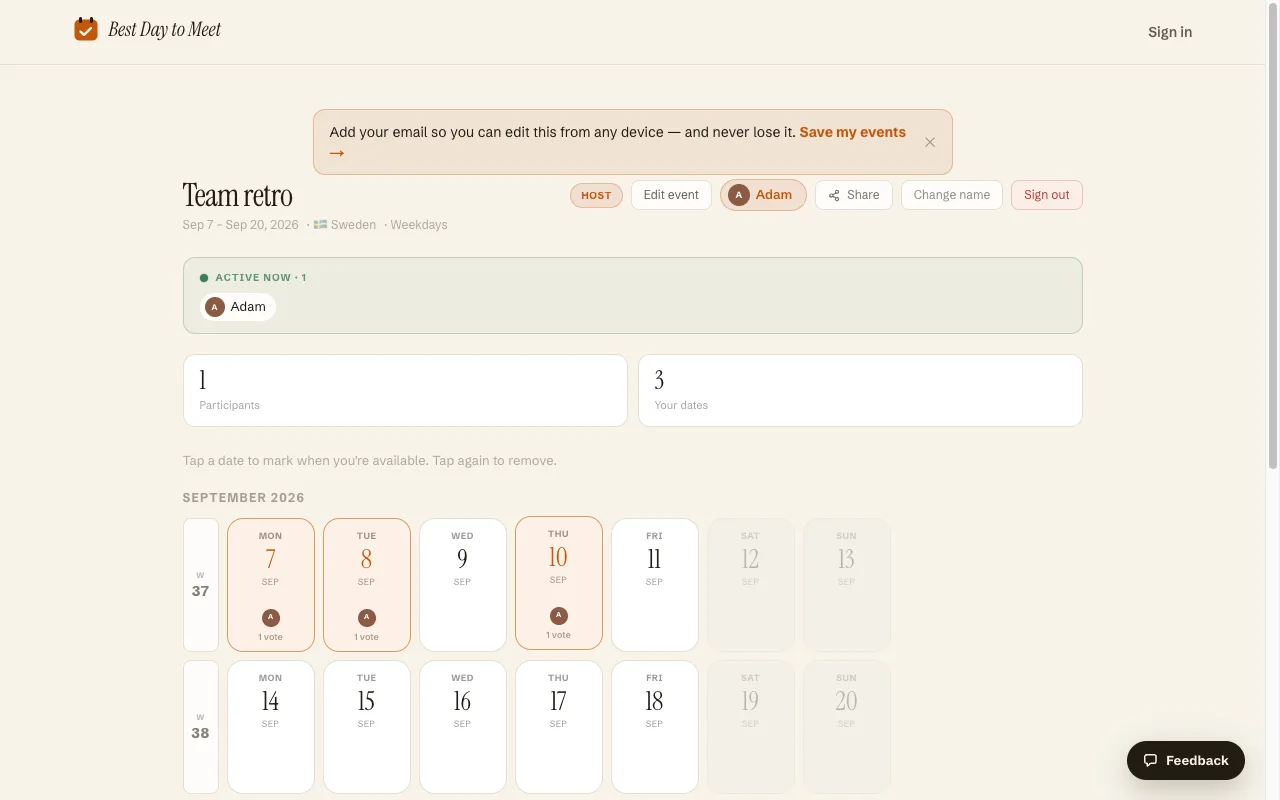
We built the opposite trade. Creating an Event on Best Day To Meet took about thirty seconds in this session and never asked for an email: name the Event, choose Calendar mode, set a date range, and the second step offers the details that matter at day scale. You pick which days count with Weekdays, Weekends, and Holidays toggles, choose the country whose public holidays should appear, set an event length in days, and optionally turn on a discussion feed before you publish.
Publishing produced a short link and an eight-character code, with a QR code and WhatsApp, email, and SMS buttons on the share screen. Voting asked for a name and nothing else. Tapping four days registered them immediately, with a vote count under each date, a live participant list, and a presence indicator showing who else had the page open.
The core is free: unlimited Events, day voting, sharing, holidays, deadlines, and .ics export when the Host locks a day. The optional Pro tier, a subscription or a one-time unlock for one Event, covers Date Options mode, multi-day Events, the comment feed, and removing the badge.
When Outlook's Scheduling poll is the better choice
- Everyone invited is in your tenant, and the question is which two-hour slot rather than which day. Scheduling poll reads real availability and proposes times; we do not read anyone's calendar.
- You want the candidate times protected. Tentative holds on every attendee's calendar stop a colleague booking over the option that was about to win. Nothing we do touches an invitee's calendar.
- The meeting must land in Outlook with rooms, attachments, and an agenda already attached. The poll is part of the event you were composing anyway, so the final invitation is the same object.
- Your organization requires scheduling to stay inside Microsoft 365 for compliance reasons. A public link with no login is the wrong shape for that.
Setting up a date poll without a tenant
- On the homepage, name your Event and choose Calendar, where Participants mark every day that works across a range, or Date Options, where you propose specific dates or multi-day blocks.
- Set the date range, then pick the details on the second step: which weekdays count, whether public holidays are included and for which country, and how many days the Event runs.
- Share the short link, the code, or the QR. Participants open it, type a name, and tap the days they can make, on any device and with no calendar connected.
- Watch the counts rise on the same page, then lock the winning day and export the .ics file.
Frequently asked questions
Is FindTime still available?
No. Microsoft's own support page states that the FindTime add-in was fully replaced by Scheduling Poll as a native Outlook feature, as announced in July 2022. The old findtime.microsoft.com address no longer resolves, and the remaining FindTime articles are documentation for a product you can no longer install.
What is FindTime called now?
Scheduling poll. It is built into Outlook rather than installed as an add-in, and you reach it from the compose window when you create a new event.
Do I need to pay to use Outlook's Scheduling poll?
You need a qualifying subscription rather than a separate purchase. Microsoft states the organizer must have a mailbox in Microsoft 365 Exchange Online on a business or enterprise plan; on Microsoft's pricing page in August 2026, business plans started at $7.00 per user per month billed yearly. Attendees need only a valid email address.
Can people outside my company vote in a scheduling poll?
Yes. Microsoft creates a secure voting webpage when the poll is sent, and says that link is the only way people outside your organization can vote.
How many time options can a scheduling poll have?
Fifteen is the documented maximum, and Microsoft recommends 3 to 5 so attendees are not overwhelmed by the list.
Is Best Day To Meet free, and does anyone need an account?
The core is free with no account and no card, for the Host and for every Participant: unlimited Events, day voting, sharing, public holidays, deadlines, and .ics export. An optional Pro tier, billed as a subscription or a one-time unlock for a single Event, adds Date Options mode, multi-day Events, the comment feed, and branding removal.
Comparing more options? See Best when2meet alternatives.