A Rallly alternative that keeps your poll past 30 days
Rallly (three L's) is one of the better-built meeting poll tools you can use today. It is open source, the hosted version at rallly.co lets you create a poll as a guest with no email address, and the interface is clean enough that nobody on your team will ask what to click. We created a poll, voted on it, and read the pricing page on the live product in August 2026, and most of what we found is genuinely good.
So why are you on a page about alternatives? Usually one of three reasons: your free poll disappeared, because Rallly deletes inactive polls on the free plan after 30 days; you tried to press the button that confirms the winning date and found it behind the Pro plan; or you only ever schedule whole days and want a tool where day voting is the entire product instead of one duration option among five. Best Day To Meet is built for that third case, and it handles the first two differently on purpose.
What Rallly gets right
Everything in this section comes from walking the live flow at app.rallly.co in August 2026, signed in as nobody.
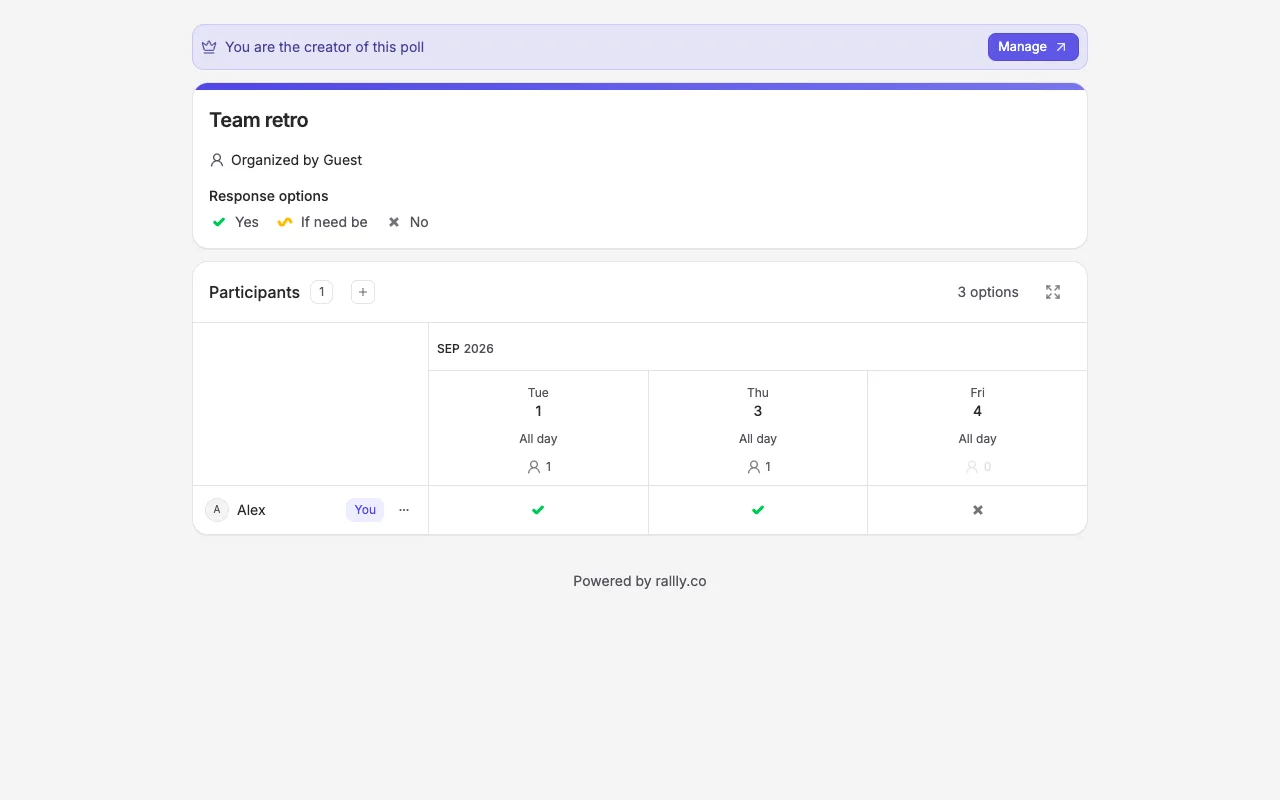
- No account to create a poll. The header showed us as "Guest" the whole time, and no email field appeared between naming the poll and copying the invite link.
- Real whole-day support. The create page offers durations of 30 minutes, 1 hour, 1 hour 30 minutes, 2 hours, or "All day", so a day-level poll is two clicks.
- Sensible voting. Participants answer Yes, If need be, or No per option, type a name (email is optional), and press "Save availability". Vote counts show on the same invite page.
- Comments are free. A "Comments" toggle in the create settings lets Participants discuss the poll without anyone paying.
- Time zone support, with a "Lock time zone" switch for polls where the clock time must not float.
- No third-party ads anywhere. The only promotion we saw was a "Powered by rallly.co" line on the poll page.
- Open source. The repository is public on GitHub, and the pricing FAQ answers "Can I run Rallly on my own server?" with instructions for self-hosting.
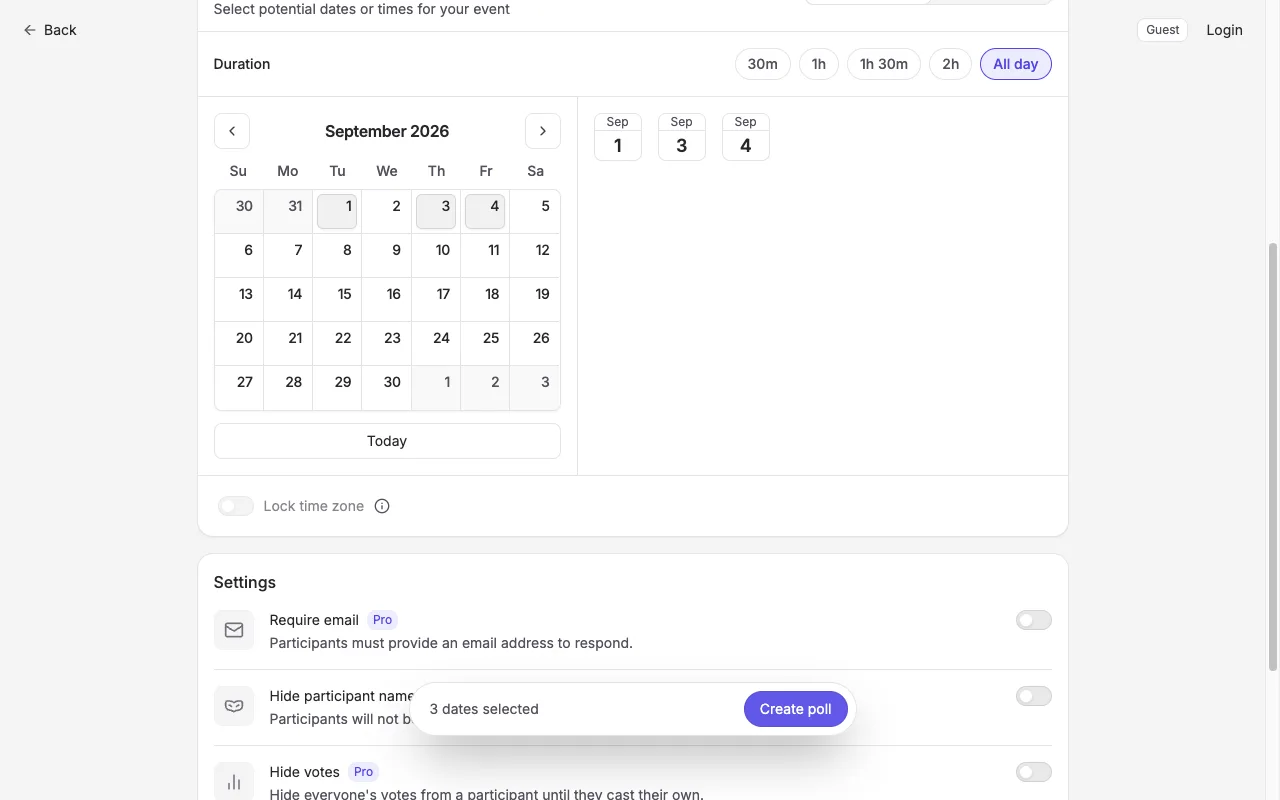
That screenshot also shows the seam between free and Pro. Three of the four settings toggles on the create page, requiring voter emails, hiding participant names, and hiding votes, carry a Pro badge before you have created anything.
Where the free plan pinches
The pricing page states the limits plainly, which we appreciate. The free Hobby plan includes unlimited polls and unlimited participants, but polls are stored for 30 days. The FAQ spells out the mechanics: a poll becomes inactive once every proposed date is in the past and nothing has happened for over 30 days, and "inactive polls are automatically deleted if you do not have a paid subscription". For a quick one-off poll that is irrelevant. For a club that plans one outing a quarter and wants to look back at who could make what, the poll will be gone by the next time anyone thinks of it.
The second pinch is finalizing. On our test poll, the Manage menu offered Edit details, Edit options, Close, Export to CSV, and Delete for free, but "Schedule", the step where you confirm the winning date and the tool notifies everyone, is marked Pro. Duplicating a poll is Pro too. Pro costs $7 per seat per month, or $4.67 per seat per month billed annually, and also adds custom branding, removal of the "Powered by" credit, and indefinite poll storage.
The third is a quieter one. Because guest polls have no account behind them, your control of the poll lives in your browser. The manage page warned us directly: "Your administrator rights can be lost if you clear your cookies", with a prompt to create an account to claim the poll. Fair engineering, worth knowing before you create a poll on a shared or work machine.
Rallly vs Best Day To Meet
Every Rallly fact in this table was checked on the live product in August 2026.
| Feature | Best Day To Meet | Rallly |
|---|---|---|
| Create without an account | Yes | Yes (guest mode) |
| How long a free poll lives | No deletion clock on free Events | Deleted after 30 days of inactivity once dates pass |
| Confirming the winning date | Free: lock the Event, export .ics | 'Schedule' is a Pro feature |
| Whole-day voting | The whole product: a calendar of days | One duration option ('All day') among five |
| Public holidays in the calendar | Shown for the Host's country | Not shown on the create calendar |
| Comments | Pro feature | Free toggle |
| Ads | None on any plan | None seen; a 'Powered by rallly.co' credit instead |
| Open source / self-hosting | No | Yes, public GitHub repository |
| Paid tier | Optional Pro (subscription or one-time per Event) | Pro at $7/seat/month, $4.67 billed annually |
Here is the same job on our side:
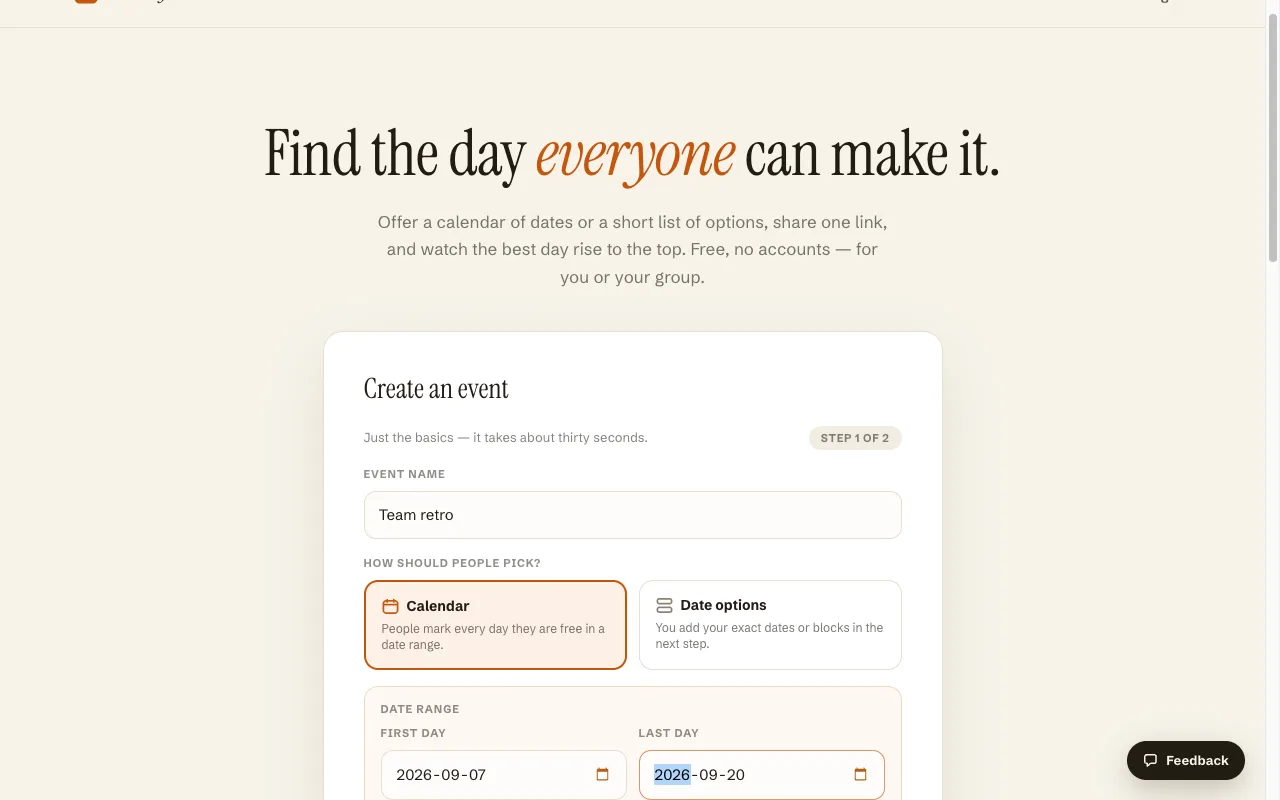
The structural difference is what each tool assumes about your question. Rallly assumes you are picking a time, so every poll is a list of dated time slots, and a day poll is a slot that happens to last all day. Best Day To Meet assumes you are picking a day, so the Host sets a date range, Participants tap every day they can make, and the calendar carries context that matters at day scale: public holidays for the Host's country appear on the dates themselves, so nobody proposes the one Friday half the country has off. When a winner emerges, locking the Event and exporting an .ics file is part of the free core, not the paid step, and a free Event does not sit on a 30-day deletion clock.
When Rallly is the better choice
A comparison that never concedes anything is an ad. Rallly wins in several real situations:
- You are scheduling times, not days. Its 30-minute to 2-hour durations, week view, and time zone lock are built for exactly that, and we have no equivalent; Best Day To Meet does not do time-of-day slots.
- You want free comments. Rallly's comment toggle costs nothing, while our comment feed is part of the Pro tier.
- You want to self-host. Rallly's code is open source and the pricing FAQ points to self-hosting docs. Our product is hosted only.
- You need CSV of responses. Rallly exports poll responses to CSV free from the Manage menu; our export is an .ics of the locked date.
- Your team will pay per seat anyway. Pro at $4.67 per seat per month annually removes every limit above, and a paying team gets a genuinely complete tool.
If those fit, use Rallly; it earned the polish its reputation suggests. The rest of this page is for the day-schedulers.
Switching from Rallly
A date poll is small, so there is no migration, only recreating a link:
- On the homepage, name your Event and pick a mode: Calendar, where Participants mark every day they can make across a range, or Date Options, where you propose specific dates or multi-day blocks.
- Skim the optional settings: weekday filters, public holidays for your country, a voting deadline, event length.
- Share the short link or read out the join code. Participants vote with a name from any device, no account, and watch the totals move live.
- When a day wins, lock the Event and export the .ics so the decision lands in every calendar. Locking is free, and the Event stays available afterward.
Frequently asked questions
Is Rallly free?
The hosted Hobby plan is free with unlimited polls and participants, no account needed to create a poll, and no ads. The limits: polls are deleted after they go inactive for 30 days, and finalizing a date, duplicating polls, and the advanced privacy settings require Pro at $7 per seat per month (or $4.67 billed annually).
Does Rallly delete polls?
On the free plan, yes. Per its pricing FAQ, a poll becomes inactive when all its date options are in the past and there has been no activity for over 30 days, and inactive polls are then deleted automatically. Paid subscribers keep polls indefinitely.
Is Rallly open source?
Yes. The code is public on GitHub and the pricing page's FAQ covers running it on your own server. The hosted service at rallly.co is the same product run for you, with the Pro tier funding development.
What is the difference between Rallly and Best Day To Meet?
Granularity and what is free. Rallly polls dated time slots (30 minutes up to all-day) and puts finalizing, duplicating, and poll longevity behind Pro. Best Day To Meet only does whole days and multi-day blocks, shows public holidays in the voting calendar, and keeps locking a date, .ics export, and Event longevity in the free core.
Is Best Day To Meet free, or is there a catch?
The core is free without an account or card: unlimited Events, day voting, sharing, holidays, deadlines with a manual lock, and .ics export. An optional Pro tier (a subscription, or a one-time unlock for a single Event) adds Date Options mode, multi-day Events, the comment feed, and branding removal. No ads on any plan.
Can Participants vote without signing up?
Yes, on both tools. Rallly asks voters for a name and an optional email. Best Day To Meet asks for a name only, and Participants see live vote counts on the same page where they vote.
Comparing more options? See Best when2meet alternatives.