Meeting poll: pick a date without the email thread
A meeting poll is a shared page listing candidate dates, where everyone marks the ones they can make and the tally is visible to the whole group as it fills in. It replaces the round of emails or chat messages where you propose a date, three people answer, two of them contradict each other, and you start again on Thursday.
This page is for the person who has to organize the thing: the one who sends the "when works for everyone?" message and then has to keep track of the answers. It covers what a date poll does, how to run one, how to read the result, and where the method stops working.
What a meeting poll actually does
It does two boring jobs, and both of them are why threads fail.
The first is closing the question. "When are you free in the next three weeks?" asks each person to scan their own calendar and invent options. Most people answer that with silence or with "I'm flexible", which is not an answer. A poll hands them a fixed list of days and asks for a yes or no on each one, which takes under a minute and does not require them to think about anyone else's schedule.
The second is keeping the count. In a thread, availability arrives as prose spread over dozens of messages, and someone has to compile it by hand. A poll counts continuously. When one person changes their mind, the totals change with them and everyone sees the new picture, without a correction message that half the group misses.
Setting one up
Everything below was done on the live site on 7 September 2026, with no account and no card, using an Event called "Q4 planning meeting".
Creating one starts on the homepage. The first step asks for a name and a date range, and nothing else. Pick Calendar mode, which is the default: Participants mark every day they are free across the range you set. The other mode, Date Options, is for curating exact dates or multi-day blocks, and it is part of the paid Pro tier.
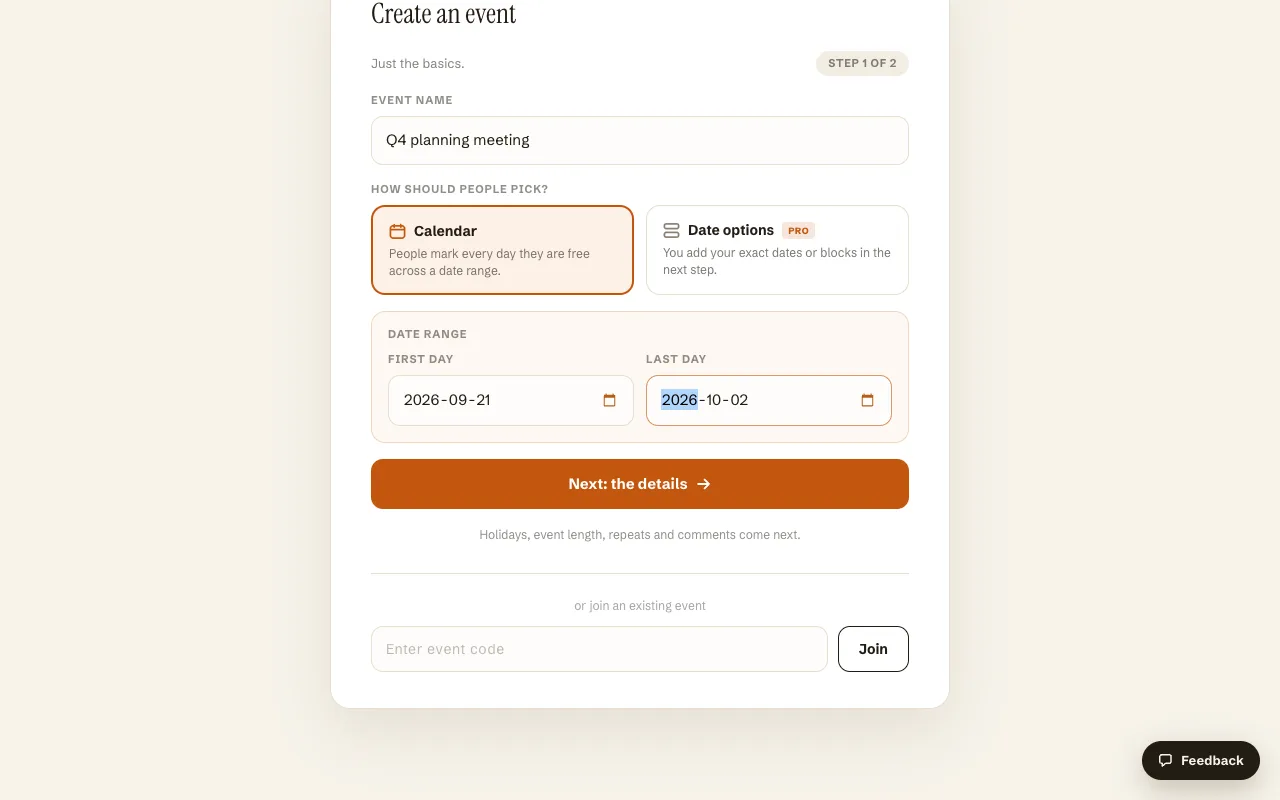
The second step is optional and worth thirty seconds. You can restrict which days count (weekdays only, weekends, or include public holidays), set a country so public holidays show up in the calendar, add a description, and set a voting deadline. The form previews the exact dates people will vote on before you commit, so a range of 21 September to 2 October with weekdays selected shows the ten dates it will produce. Two settings on that screen carry a Pro badge: event length in days, and the comment feed.
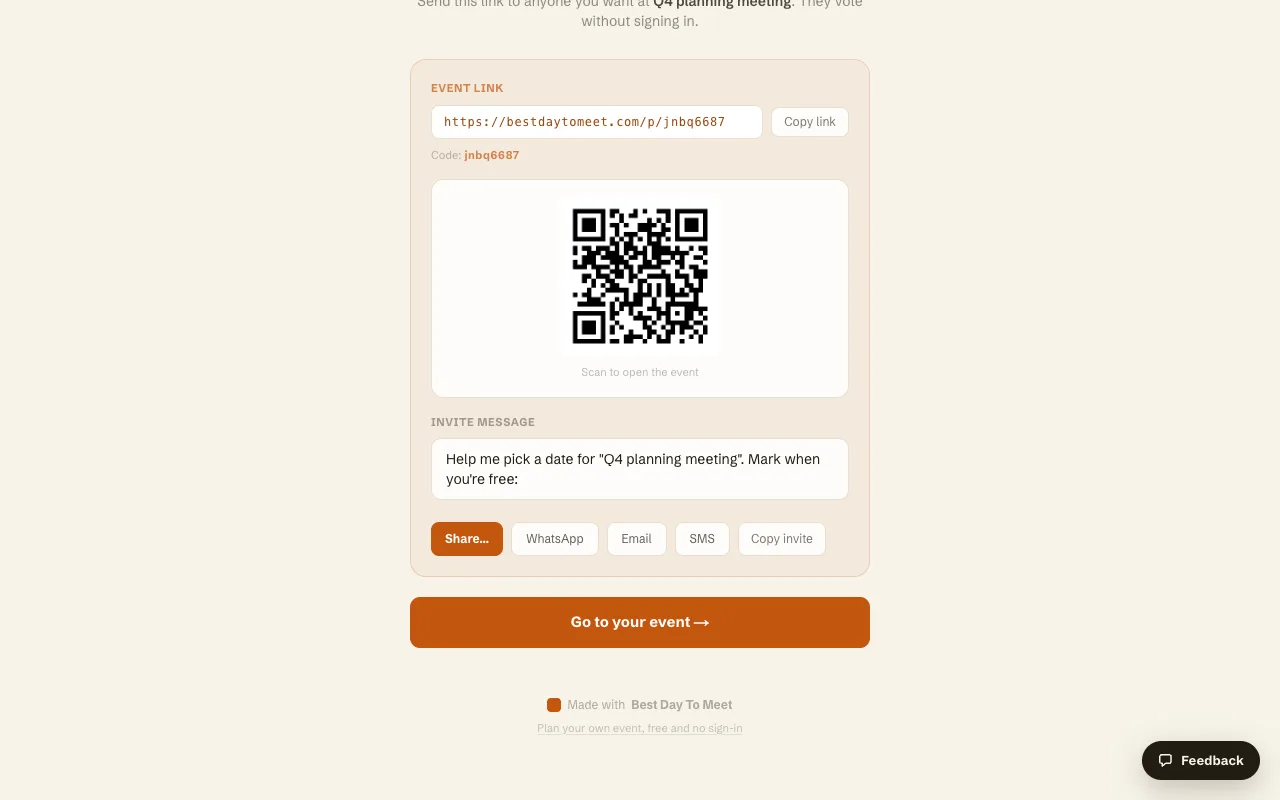
Then you create the Event and get a link plus an eight-character code. There is a QR code, a pre-written invite message, and buttons for the share sheet, WhatsApp, email and SMS.
What the people you invite have to do
They open the link, type a name, and tap days. No account, no email verification, no app. There is a "Browse without voting" option for anyone who wants to see the state of play before committing, and the page lists who has already voted, so latecomers can see whether they are the last one holding things up.
Each person's votes stay editable. Voters get a private edit link saved in their browser, so "actually the 30th is off now" is a change to the tally rather than a new message in a thread.
Reading the result
Each date shows the initials of everyone who marked it, plus a vote count. A date that every Participant has marked gets an "All free" badge, and the page puts the best date in a summary box at the top with the count next to it.
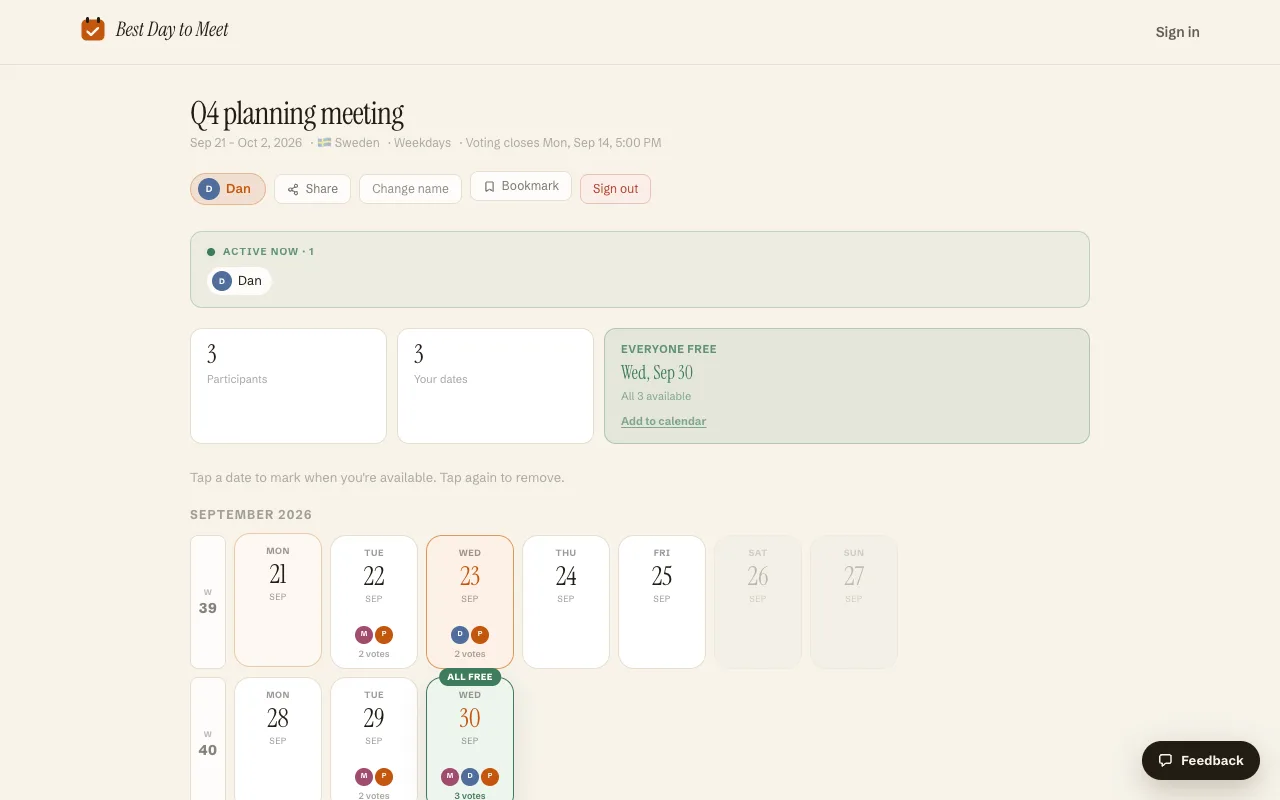
In the poll above, three people voted, Wednesday 30 September was the only date all three marked, and the page said so without anyone counting anything. The "Add to calendar" link next to it downloads an .ics file, which is the part that actually ends the process: a date nobody has put in a calendar is still a plan.
As Host you also get a final-date dropdown that lists every candidate with its vote count, so you can commit to a day and have everyone see the decision on the same page they voted on. If you want to stop the thing early, "Close voting now" freezes it without waiting for the deadline.
Whole days, not time slots
Best Day To Meet votes on whole days. It does not ask people to paint a grid of 15-minute cells, and that is a deliberate limit rather than a missing feature.
Grid schedulers answer "what time on Tuesday?". They are the right tool for a 90-minute call this week. They handle "which day in the next three weeks?" badly, because painting hour cells across fifteen candidate days is dozens of drag operations per person, most of them fiction. Nobody knows their hour-by-hour availability three weeks out. Almost everyone knows the day-level facts: which days they are traveling, when the quarter closes, which week they are on call.
If the group has to settle on a day, ask about days. Once the day is fixed, the follow-up question ("2pm or 4pm?") is small enough to settle in one message.
Deadlines and the people who never answer
Every poll has two or three people who open the link, mean to answer, and do not. A deadline is the cheap fix. Set one when you create the Event and the page shows it in the header ("Voting closes Mon, Sep 14, 5:00 PM"), so the deadline is a visible fact rather than a nag you have to send.
Pick a deadline well before the earliest candidate date, so you have room to book something after the vote closes. Two or three days is enough for a work group. A week is generous for anyone else. When you chase, chase the named people who have not voted, since the participant list tells you exactly who they are, and send it as a direct message rather than another post to the whole group.
What it costs
The core is free and needs no account: unlimited Events, Calendar mode voting, the share tools, holiday display, voting deadlines, and .ics export. Pro adds Date Options mode, multi-day Events, the comment feed, and removal of the "Made with Best Day To Meet" badge, sold as a subscription or as a one-time unlock for a single Event. Leaving the comment toggle on at creation prompts you to unlock the Event before it publishes, so switch comments off if you want the free path.
When a poll is the wrong tool
Three cases where you should not run one.
If the decision is one person's to make, make it. A poll on a date your director has already blocked is theater, and it costs everyone a minute each.
If the group is two or three people who all reply quickly, the thread is faster than the link. Polls earn their keep at four or more, or with anyone who answers slowly.
If everyone is in the same company on the same calendar system, free/busy lookup already knows who is booked, and a scheduling assistant will beat a poll for a short internal meeting. A poll wins when the group is mixed: clients, friends, volunteers, contractors, anyone whose calendar you cannot see and who will not install anything.
Frequently asked questions
What is a meeting poll?
A shared page listing candidate dates where each person marks the ones they can make. Everyone sees the running tally, so the group can pick the best-attended date without anyone compiling replies by hand.
Is Best Day To Meet free?
The core is free with no account: creating Events, whole-day voting, sharing, deadlines, holiday display and .ics export. A Pro tier adds Date Options mode, multi-day Events, the comment feed and branding removal, as a subscription or a one-time unlock for one Event.
Do participants need an account to vote?
No. They open the link, type a name, and mark days. There is no sign-up, no email verification and no app, which is the difference between getting answers from a mixed group and getting answers from the four people who bother.
Can a date poll cover specific time slots?
Not here. Voting is on whole days, and on multi-day windows if you set an event length. Settle the day with the poll, then agree the start time with the group once the date is fixed.
How many dates should the poll offer?
Three to six for a single meeting. A poll covering an entire month spreads votes so thinly that nothing wins clearly, and it makes each person's task feel heavy enough to postpone.
What happens when no date works for everyone?
Above five people, expect it. Take the best-attended date, tell the people who miss out early, and if the absence matters, run one short follow-up poll around that person's availability instead of reopening the whole question.
Comparing more options? See Find a date that works for everyone.