Looking for Timeful? What it is now, and an alternative
There are two Timefuls, and which one you are looking for changes everything on this page.
The original Timeful was a smart-calendar app that scheduled your to-dos and habits into free slots. Google announced it was acquiring the company in May 2015, in a blog post titled "Time is on your side—welcoming Timeful to Google", and folded the ideas into its own products; Google Calendar's goal-scheduling is the visible descendant. That Timeful no longer exists as a product. When we checked in August 2026, its old domain, timeful.com, did not resolve at all. If that app is what you came for, no download link on the internet will bring it back, and the closest modern equivalents live inside Google Calendar itself.
The name did not stay buried. Timeful today, at timeful.app, is a completely different product by different people: a free, open-source group scheduling tool that was called Schej until it took the vacated name (its own header still says "Formerly known as Schej"). It is a when2meet-style availability grid with calendar integrations, and it is good. We created an event, filled in availability, and opened the upgrade dialog on the live site in August 2026, and everything below comes from that session, including the two limits that send its users looking for alternatives: ads on every event, and a cap of three events per month on the free plan.
What today's Timeful gets right
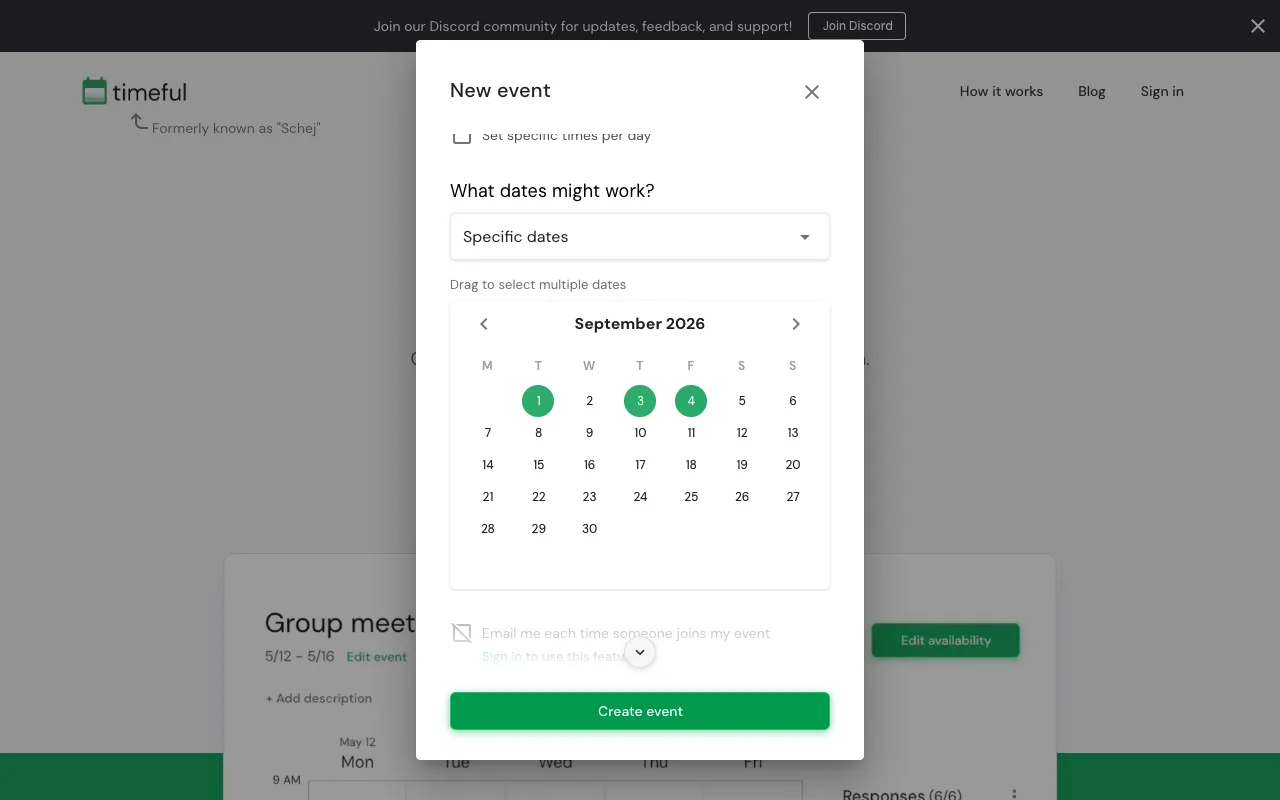
- No login to create an event. We named an event, dragged over three September dates, and had a share link at timeful.app/e/... without ever seeing an email field.
- A real day-level option. The create dialog offers "Dates and times" or "Dates only", plus specific dates or recurring days of the week, so you are not forced into an hour grid when the question is which day.
- Calendar autofill, the feature the product leads with. When a Participant adds availability, the first offer is "Autofill with Google Calendar", with Apple Calendar and Outlook beside it, and manual painting as the fallback. Availability from your own calendar, without retyping it.
- Guest voting with just a name. After painting our availability, a "Continue as guest" dialog asked for a name only.
- An "If needed" second tier of availability, a time zone selector ("Shown in"), a 12/24-hour toggle, and a Schedule event button on the event page.
- Open source, with the code public on GitHub (schej-it/timeful.app), an active Discord, and quoted Reddit users on the homepage vouching for it.
The two limits, in plain sight
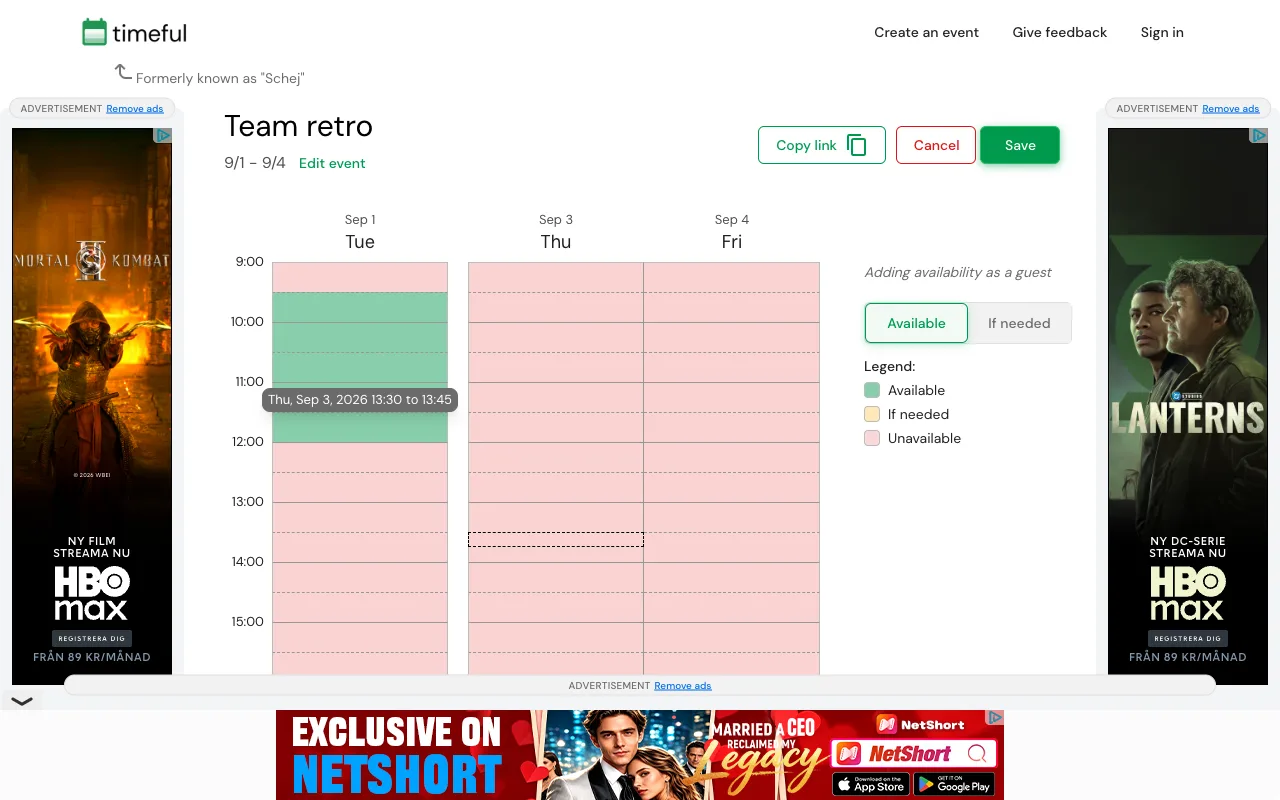
Open any Timeful event and the layout answers the "what's the catch" question before the pricing page does. Our freshly created event showed banner ads on the left, the right, and the bottom of the availability grid, each labeled "advertisement" with a "Remove ads" link. The cookie consent dialog that greeted us on first visit asked permission for roughly 1,730 ad partners, which is the infrastructure that ad load rides on. This is how a free tool pays its bills, and Timeful is upfront about it; it is still a lot of chrome around a grid your invitees came to tap three times.
The "Remove ads" link opens the Premium dialog, which also states the second limit: the free plan is "Create 3 events per month", with "Ads displayed on all your events". Premium costs $8.99 per month, or $3.99 per month billed annually, and removes ads (yours and other people's) and the event cap. There is a student discount checkbox, which fits the product's college-scheduling roots.
Timeful vs Best Day To Meet
Every Timeful fact in this table was observed on timeful.app in August 2026.
| Feature | Best Day To Meet | Timeful |
|---|---|---|
| Create without an account | Yes | Yes |
| Ads | None on any plan | On every free event; removal is Premium |
| Free event limit | Unlimited Events | 3 events per month |
| Granularity | Whole days and multi-day blocks only | Time grid, with a 'Dates only' mode |
| Calendar autofill for voters | No | Google, Apple, and Outlook Calendar |
| Public holidays in the calendar | Shown for the Host's country | Not shown |
| Export | .ics file when you lock a date | Schedule event on the event page |
| Open source | No | Yes (schej-it/timeful.app on GitHub) |
| Paid tier | Optional Pro (subscription or one-time per Event) | Premium at $8.99/mo, or $3.99/mo billed annually |
The contrast is a trade. Timeful's grid is richer at hour scale and can read availability out of three calendar providers. Best Day To Meet spends its effort on the day-scale question instead: a Host sets a date range, Participants tap whole days with a name and no account, live totals sit on the voting page itself, and the calendar shows public holidays for the Host's country so nobody proposes a long weekend by accident. There are no ads on any plan and no monthly Event cap, so the tenth poll of the month costs what the first did: nothing.
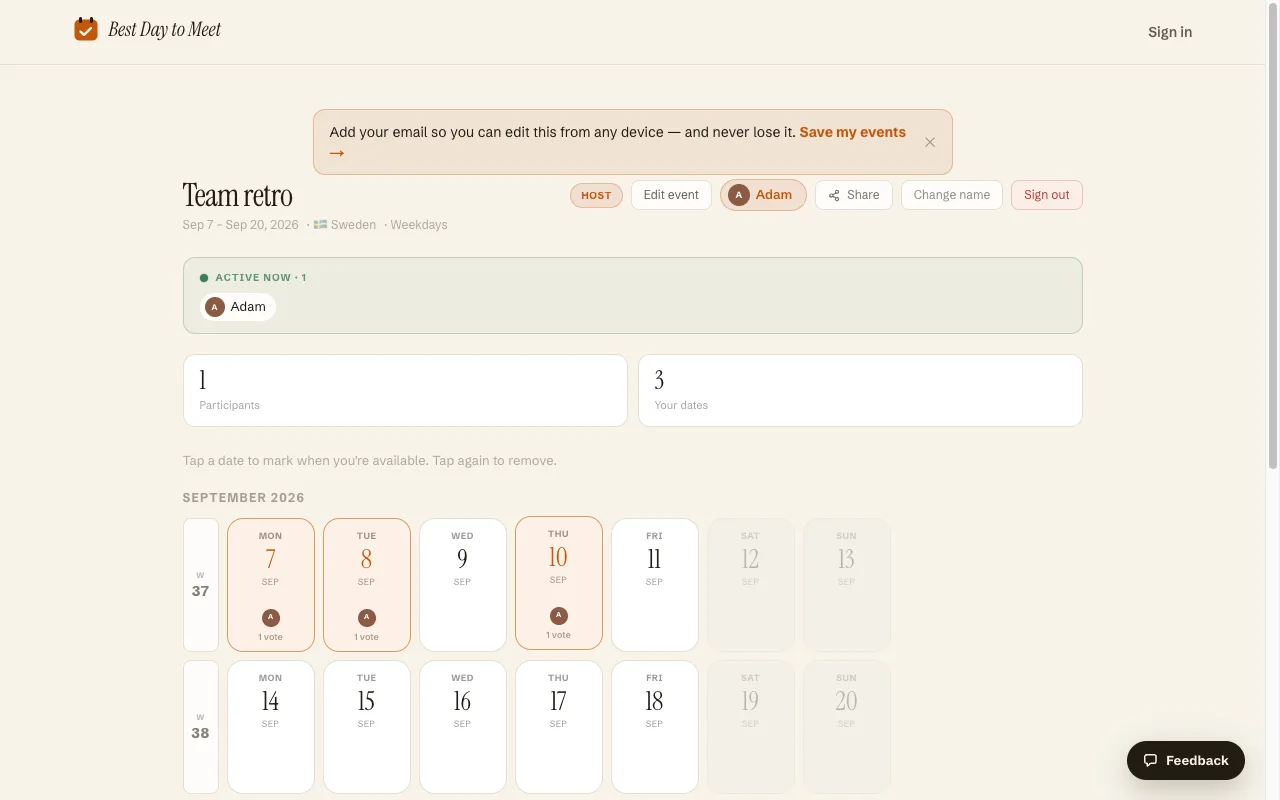
When the group settles, the Host locks the winning day and exports an .ics file, both on the free core. The optional Pro tier (a subscription, or a one-time unlock for one Event) is where Date Options mode, multi-day Events, the comment feed, and branding removal live.
When today's Timeful is the better choice
- Your group schedules by the hour. Timeful's painted time grid with an "If needed" tier is built for finding a two-hour window; we only do whole days.
- Calendar autofill would save your group real time. Nothing in our product reads Google, Apple, or Outlook calendars; Timeful's voters can skip manual painting entirely.
- Three events a month is genuinely enough, and you do not mind the ads. A student section organizing one review session a month may never feel either limit.
- You want open source. Timeful's code is public and its community is active on Discord and Reddit; our product is closed source and hosted.
And if you came here for the original Timeful's habit scheduling, neither tool is that. Google Calendar's goals and tasks are the direct descendants, and what you are choosing between here is group scheduling.
Switching (or starting fresh)
- On the homepage, name your Event and pick a mode: Calendar, where Participants mark every day that works across a range, or Date Options, where you propose specific dates or multi-day blocks.
- Check the optional settings: weekday filters, public holidays for your country, a voting deadline.
- Share the short link or the join code. Participants vote with a name from any device and see the running totals as they vote, with no ads beside the calendar.
- Lock the winning day and export the .ics. The Event stays put; there is no monthly cap waiting for your next one.
Frequently asked questions
What happened to the original Timeful app?
Google announced in May 2015 that it was acquiring Timeful and would bring its scheduling ideas into Google products; Google Calendar's goal-scheduling came out of that work. The app was discontinued, and as of August 2026 the old timeful.com domain no longer resolves.
Is timeful.app the same as the old Timeful?
No. Today's timeful.app is the scheduling tool formerly called Schej, made by an independent developer, which adopted the Timeful name; its site still says "Formerly known as Schej". It finds a time for a group to meet; it does not schedule your personal to-dos the way the original did.
Is today's Timeful free?
Yes, with two stated limits: the free plan shows ads on every event and allows three events per month. Premium, at $8.99 per month or $3.99 per month billed annually, removes the ads and the cap. Creating events and voting require no account; signing in adds extras like email notifications when someone responds.
Does Timeful work for day-only scheduling?
Yes. The create dialog has a "Dates only" mode alongside "Dates and times". Day scheduling is the entire product in Best Day To Meet, which adds day-scale conveniences Timeful's calendar lacks, like public holidays marked on the dates Participants vote on.
Is Best Day To Meet free, or is there a catch?
The core is free with no account, no card, and no ads: unlimited Events, day voting, sharing, holidays, deadlines with a manual lock, and .ics export. An optional Pro tier (subscription, or a one-time unlock for a single Event) adds Date Options mode, multi-day Events, the comment feed, and branding removal.
Can people vote without an account on both tools?
Yes. Timeful asks voters for a name via "Continue as guest" (calendar autofill needs a calendar login, manual painting does not). Best Day To Meet asks for a name only, and Participants watch the totals update on the same page.
Comparing more options? See Best when2meet alternatives.